Browser Setup
Editorial Manager
If users are unable to access report links, Editorial Manager may be blocked from doing this by your browser.
Safari
- Visit your Journal's Editorial Manager site.
- Click on the site info icon in the address bar.
- Click 'Website Settings'
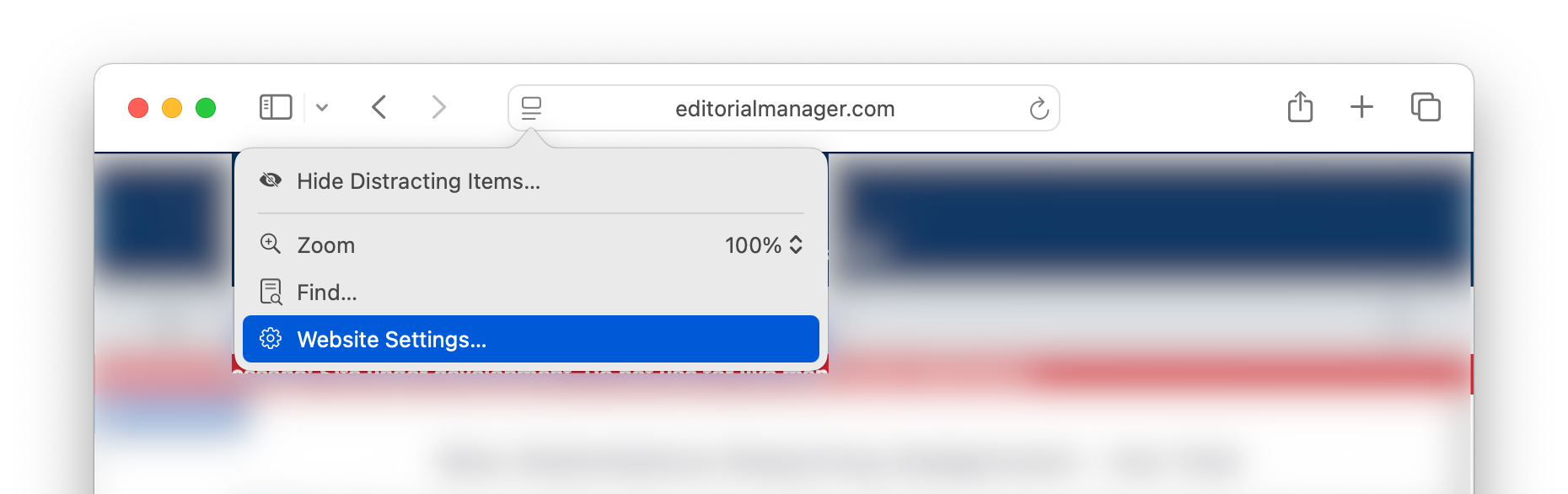
- For 'Pop-up Windows' click 'Allow'
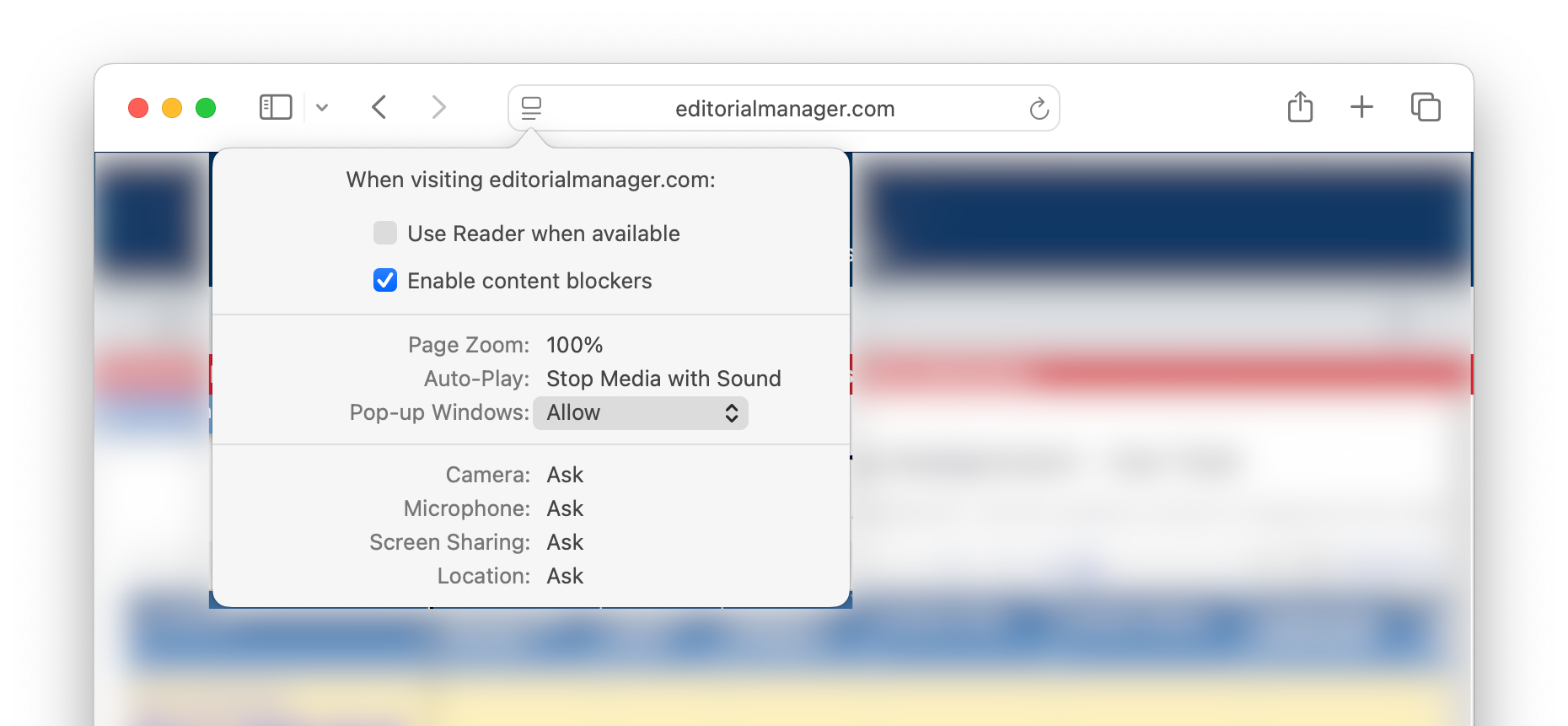
- Reload the window.
Chrome
- Visit your Journal's Editorial Manager site.
- Click on the site info icon in the address bar.
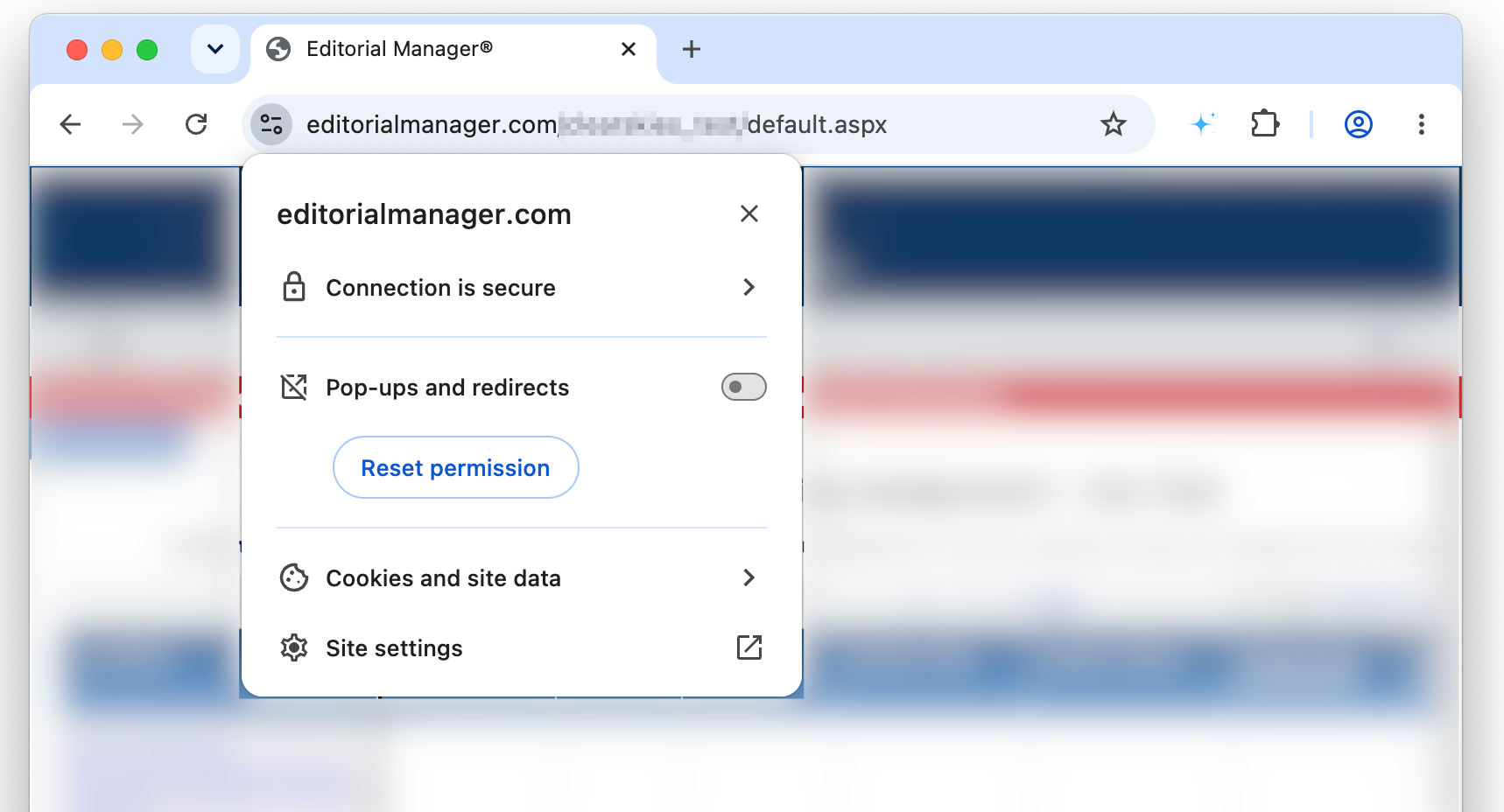
- For 'Pop-ups and Redirects' enable the slider.
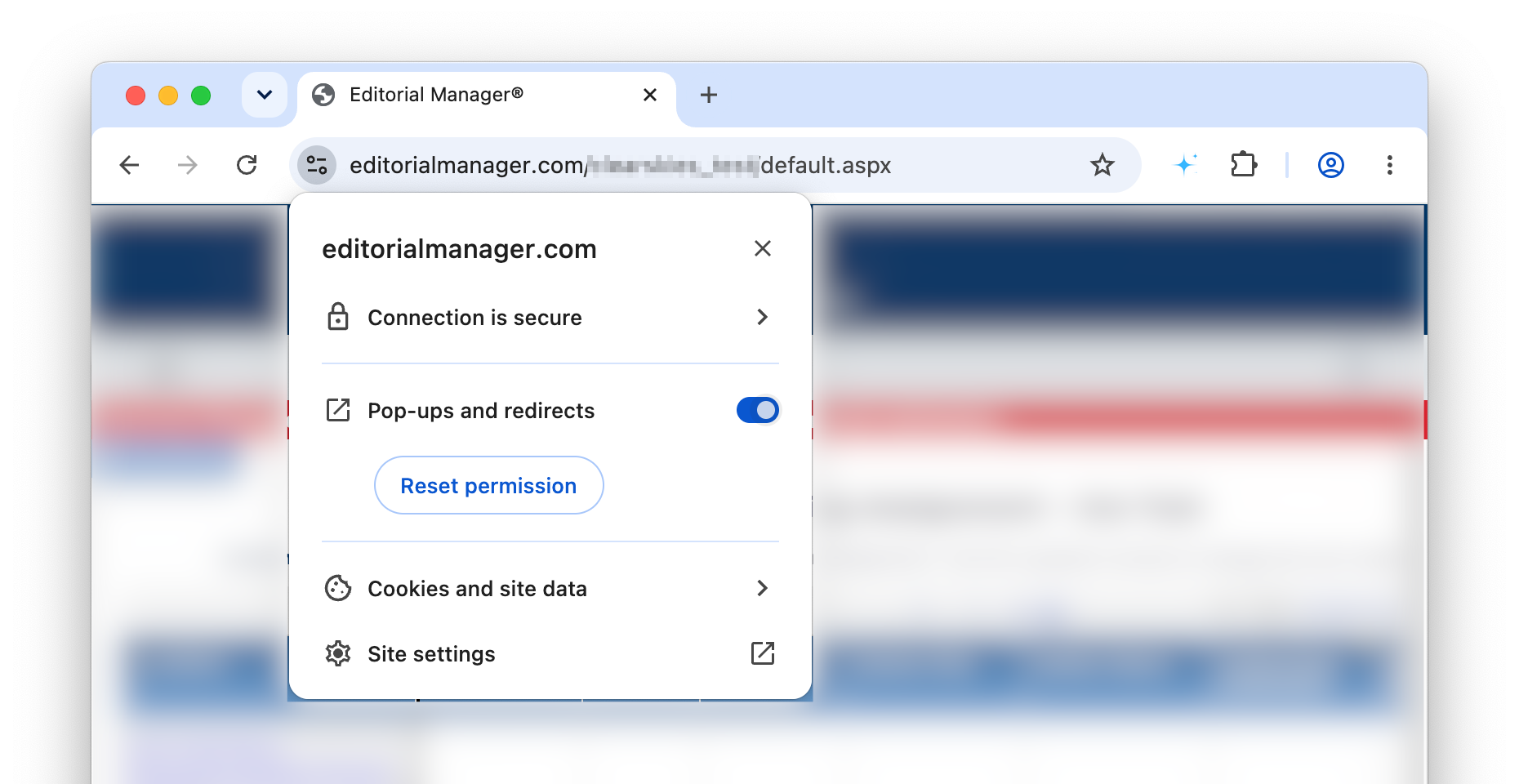
- Reload the window.